
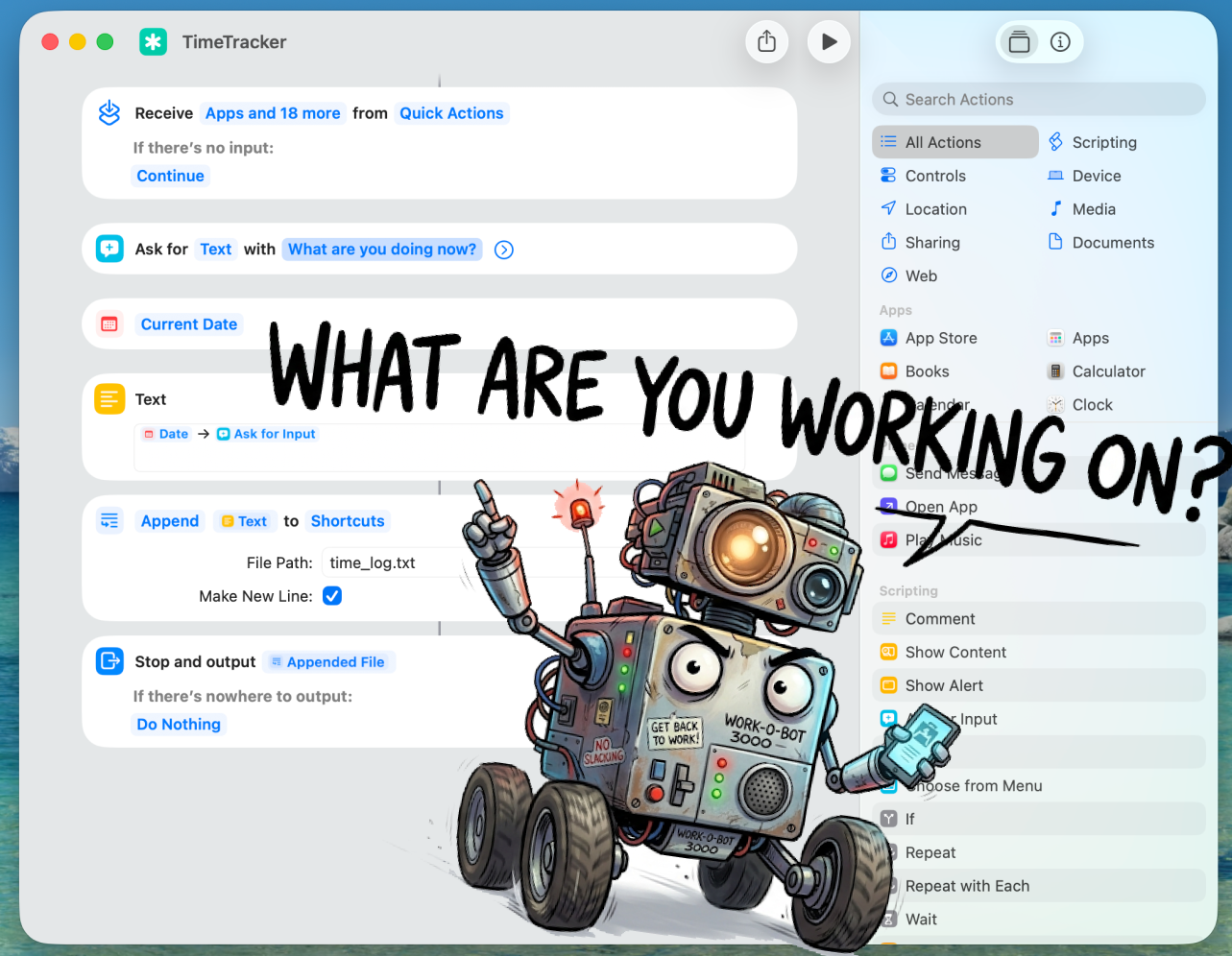
A robot keeps bugging me with “What are you working on?” and I could not be happier about it.
When you are juggling projects, chasing clients, learning, and just living, it is easy to lose track of the day.
You lie in bed at night thinking:
What actually happened today?
I tried the ready-made trackers.
The ones that monitor apps, analyze activity, and build dashboards.
Looks great.
Useless.
They have no idea what you were doing while drinking coffee or picking celery for soup.
Real life has exactly one tracking method that works:
asking yourself regularly what you are doing right now.
I borrowed the idea from Upwork.
Their tracker takes a screenshot every 10 minutes.
I thought:
Why a screenshot?
What if you just ask?
I set up an automation in Apple Shortcuts.
Every 15 minutes a prompt appears, I answer in one phrase, and everything gets logged to timelog.txt on iCloud.
For it to run continuously in the background, I added a small terminal script.
On my phone, the same automation works with a manual tap.
Not a problem.
Weirdly satisfying, actually.
After a few days, you have a complete log of your days.
Drop it into any AI, and it breaks it down:
And to things you never even counted as activities, but that quietly ate up two hours.
Free.
Works.
No subscription.
The screenshot of the automation is in the image above.
DM me or drop a comment and I will send you the terminal script.
Save this post and give it a try.
It turned out to be genuinely useful for me, and I hope it will be for you too.
Three nearby posts worth opening next.

Mar 19, 2026
Most automations do not fail because the tech is weak. They fail because the problem, UX, or scale assumption was wrong.

Apr 2, 2026
Automation is not the starting point. First comes process logic, then the question of what a human still needs to do by hand.

Mar 31, 2026
A database is not an archive. In many businesses, it is a product that is missing an interface and a sales layer.
If you have a manual workflow between tools, I can help map the logic, design the system, and automate it in a way your team can actually use.
